ScriptMe-Transcription Service-Subtitle Production-Multilingual Support-ScriptMe - Automatic Transcription and Subtitling Platform

ScriptMe
3.8 Points
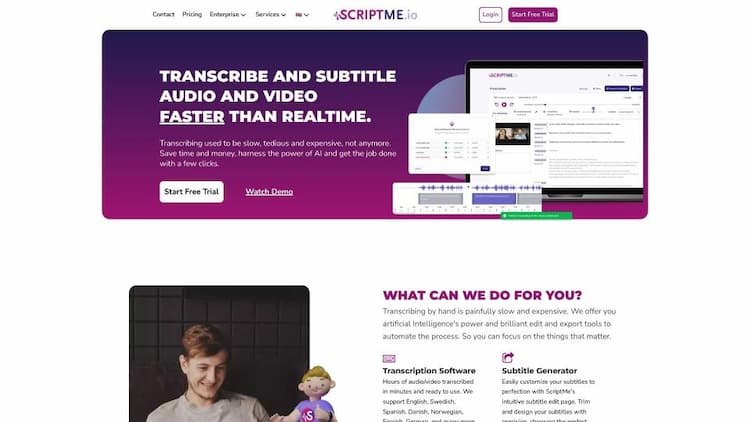
ScriptMe - Automatic Transcription and Subtitling Platform

Content Operations
Transcription Service
Subtitle Production
Multilingual Support
 PC
PC Overseas Service
 Favorites
Open Website
Product Details
 Product Introduction
ScriptMe is an AI-driven transcription tool that allows for quick and easy conversion of audio and video files into text format. The platform supports over 31 different languages and aims to work faster than real-time with its transcription and captioning capabilities. With ScriptMe's intuitive editing tools, users can quickly make changes to the text, and the platform can export files in various formats, including SRT and EBU STL for subtitles. The software's customization features also allow users to customize subtitles according to the specific needs of their projects, including font, color, and background. Another feature of ScriptMe is its translation functionality, which allows users to transcribe, caption, and translate in up to 30 different languages. ScriptMe is user-friendly; users can upload files, select the language, and start the transcription process almost instantly. Most reviewers of ScriptMe praise the tool for its speed, efficiency, and ability to save time and money. Overall, ScriptMe is an excellent choice for those in need of fast and accurate transcription and captioning of audio and video content.
 Main Function
- Quickly transcribe and caption audio and video
- Support over 31 different languages
- Transcription and captioning is faster than real-time
- Intuitive editing tools for users to quickly modify text
- Export files in multiple formats, including SRT and EBU STL for captions
- Customization features to help users customize captions according to their project's specific needs
- Translation feature allows users to transcribe, caption, and translate in up to 30 different languages.
How to Use
Using ScriptMe is very simple. Users just need to upload their files, select the language, and then start the transcription and captioning process. The platform automatically converts audio and video into text and provides intuitive editing tools for users to quickly make changes to the text. Users can also customize captions using the custom feature, including font, color, and background. ScriptMe also offers translation functionality, allowing users to transcribe, caption, and translate between multiple languages.
ScriptMe Traffic

47.80KMonthly Visits

188Similar Ranking
User Rating
What's Your Impression of ScriptMe
AI Recommendation


ScriptMe Comparison


All resources on this platform are collected from the internet. The platform itself is not involved in content creation.For inquiries such as copyright infringement, report of illegal content, submissions, or business collaborations, please contact the administrator for prompt resolution.Contact Email: ai-apps@ieferry.com
Copyright ©2023 AI-Apps. All rights reserved.