Found free AI software-InsightJini and Label Studio-AI

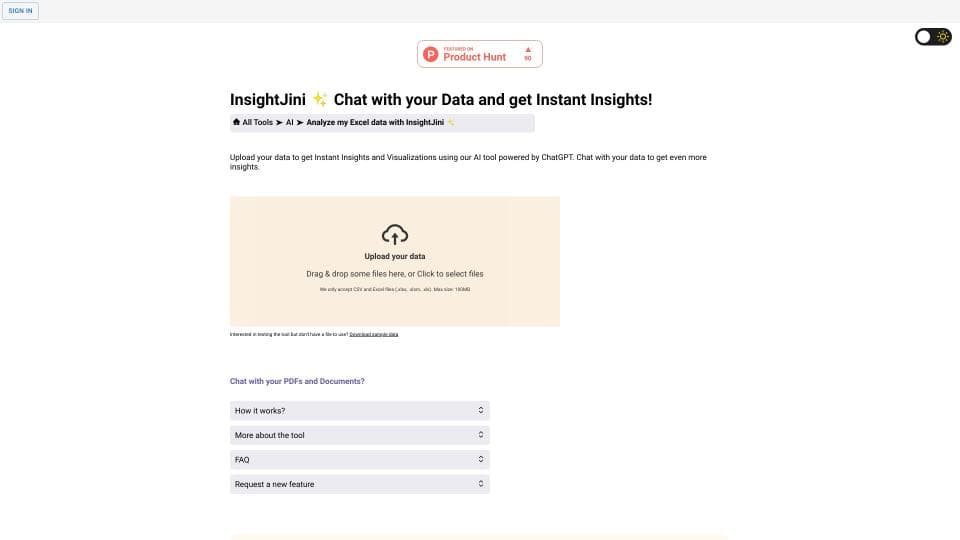
InsightJini
VS
Label StudioInsightJini
4.5 Points
InsightJini helps users gain real-time insights and visualizations by uploading data and engaging in natural language interactions with ChatGPT.
Label Studio
4.5 Points
Label Studio is an open-source data annotation tool that supports multiple projects and users.

Traffic Overview
17.60KMonthly Visits
296Similar Ranking
Traffic Overview
92.10KMonthly Visits
164Similar Ranking
Product Details
Product Introduction
InsightJini is an AI-powered tool that allows users to upload their data (Excel and CSV files) and obtain instant insights and visualizations. The tool aims to bridge the gap between traditional data analysis methods and programming-based alternatives, enabling data analysis and visualization without the need for programming knowledge.
Main Function
The main function of InsightJini is to automatically process user-uploaded Excel or CSV files using artificial intelligence technology and generate intuitive charts and insights. Users can easily explore and understand their data through an intuitive interface without the need to write complex code or perform tedious manual operations. In addition, InsightJini also integrates ChatGPT, allowing users to interact with their data through natural language, further enhancing the interactivity and intuitiveness of data exploration.
Product Details
Product Introduction
Label Studio is an open-source data annotation platform that supports multiple projects, users, and various data types. It allows annotation for different types of data using multiple data formats and integrates with machine learning backends.
Main Function
1. Multi-project management: Label Studio supports managing multiple projects on one platform, each with different data types and annotation requirements.
2. Multi-user collaboration: Multiple users can participate in the annotation work of a project simultaneously, with the ability to assign different tasks and permissions.
3. Support for multiple data formats: Label Studio supports various data formats, including images, text, audio, and video, to meet different annotation needs.
4. Customizable annotation types: Users can customize annotation types, including rectangles, polygons, text, and classifications, to meet different annotation requirements.
5. Integration with machine learning backend: Label Studio can be integrated with a machine learning backend to utilize annotation data for AI model training and refinement.
After comparing multiple dimensions of InsightJini and Label Studio,
we recommend making decisions considering the following:
InsightJini

Label Studio
4.5 Points
User Satisfaction
4.5 Points
0
Popularity and Visits
0
Ai-Apps recommends that you comprehensively weigh key factors such as price, user evaluation, traffic, ranking, product introduction, and functions to choose the AI service platform that best meets your needs. Whether you choose InsightJini Or Label Studio, make sure it meets your business goals and provides a quality AI service experience.
InsightJini Comparison

All resources on this platform are collected from the internet. The platform itself is not involved in content creation.For inquiries such as copyright infringement, report of illegal content, submissions, or business collaborations, please contact the administrator for prompt resolution.Contact Email: ai-apps@ieferry.com
Copyright ©2023 AI-Apps. All rights reserved.